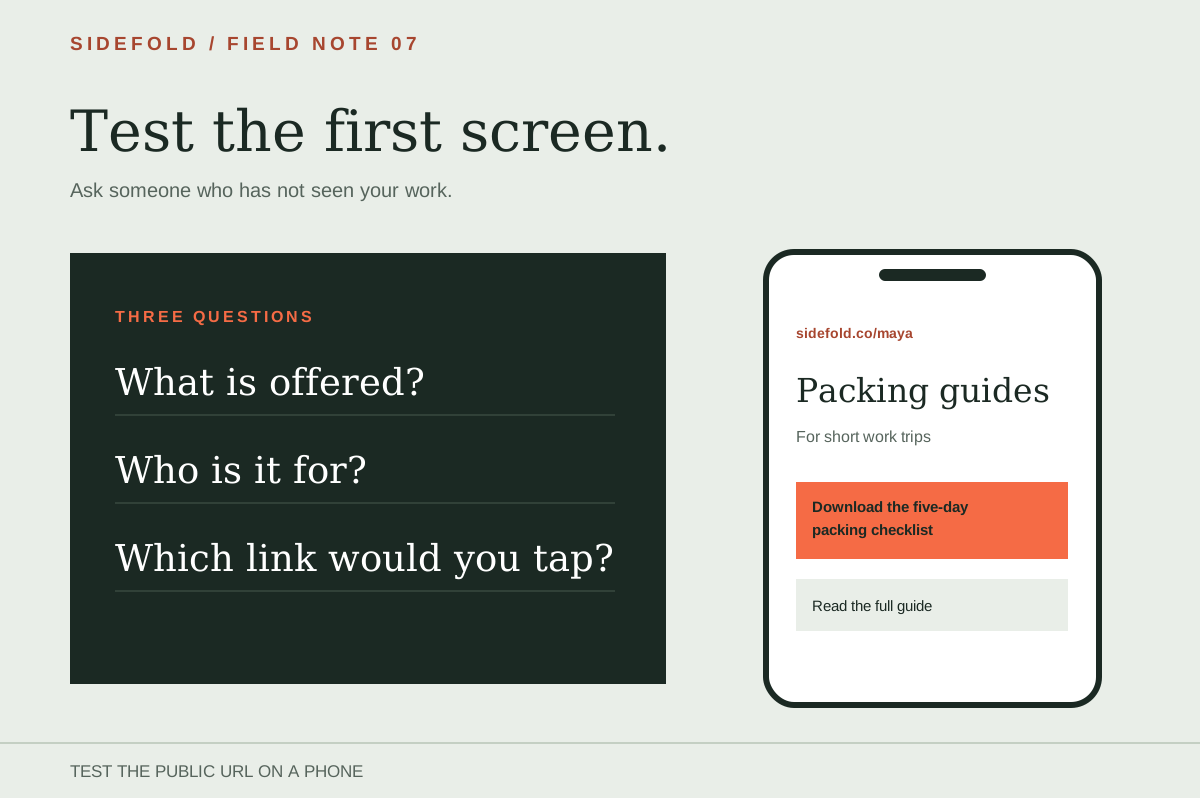
Open your bio page on a phone and look only at what appears before you scroll. Could someone who has never seen your work tell what this page offers and where to go next?
The title of this exercise is deliberately strict. Visitors can return, but the page should make sense on the visit you have in front of you. Here is a way to test that without guessing what strangers think.
01
Look at the first screen
Use the public URL, not the page builder preview. Make sure your name or project is recognisable, the current offer is described in plain language, and the relevant link is visible. A long biography can push the link people came for below the first screen.
“Maya’s guides” tells a visitor little. “Carry-on packing guides for short work trips” names the subject and audience. If the post promised a checklist, “Download the five-day packing checklist” should appear nearby.
This example describes a page layout, not a tested conversion result. Your own page may need different wording.
02
Ask someone who did not build it
Send the live URL to someone unfamiliar with your offer. Ask them to look at the first phone screen briefly and answer three questions in their own words:
Do not explain the page before they answer. Their words are more useful than a score you assign to your own work. If they name the wrong destination, ask which label led them there.
Keep a short record of the test: the URL and phone used, the exact post or offer you named, the three answers in the visitor’s words, and the link they tapped. That record lets you compare a revised page with the original question. It is evidence of one person’s experience, not a claim about all visitors.
03
Change the part that confused them
| What they missed | Where to edit |
|---|---|
| They cannot say what you offer | Replace a generic headline or bio with the actual subject and format. |
| They cannot tell who it is for | Add the audience only if the offer genuinely serves a specific group. |
| They choose the wrong link | Rename or reorder the relevant link; check that it opens the promised page. |
Sidefold’s page builder has title, promise, bio, proof, and link fields. Use the fields that clarify the offer. A proof line is optional; leave it empty if you do not have a relevant, verifiable claim.
04
Check the revised page on a phone
Publish the change, then reload the public URL. Check text wrapping, link order, and every destination. Send the revised page to a second person if the first test found a major misunderstanding. The free link-in-bio review keeps these checks in a copyable list.
If visitors understand the page but the current campaign link is buried, use the link-order guide to match the page to the post that sent them.
05
Common questions
Do people really visit a profile only once?
No. The title is a reminder to make each visit useful, not a claim about visitor behavior. People may return many times.
Does every page need a proof quote?
No. A clear offer and working destination matter more than a weak or unverified quote. Add proof only when it is real and relevant.
How often should I repeat the test?
Repeat it when the offer, main link, or audience changes. Check links again whenever you change a campaign.
Ask what a new visitor sees.
Test the public page on a phone, then revise the words or link that caused confusion.