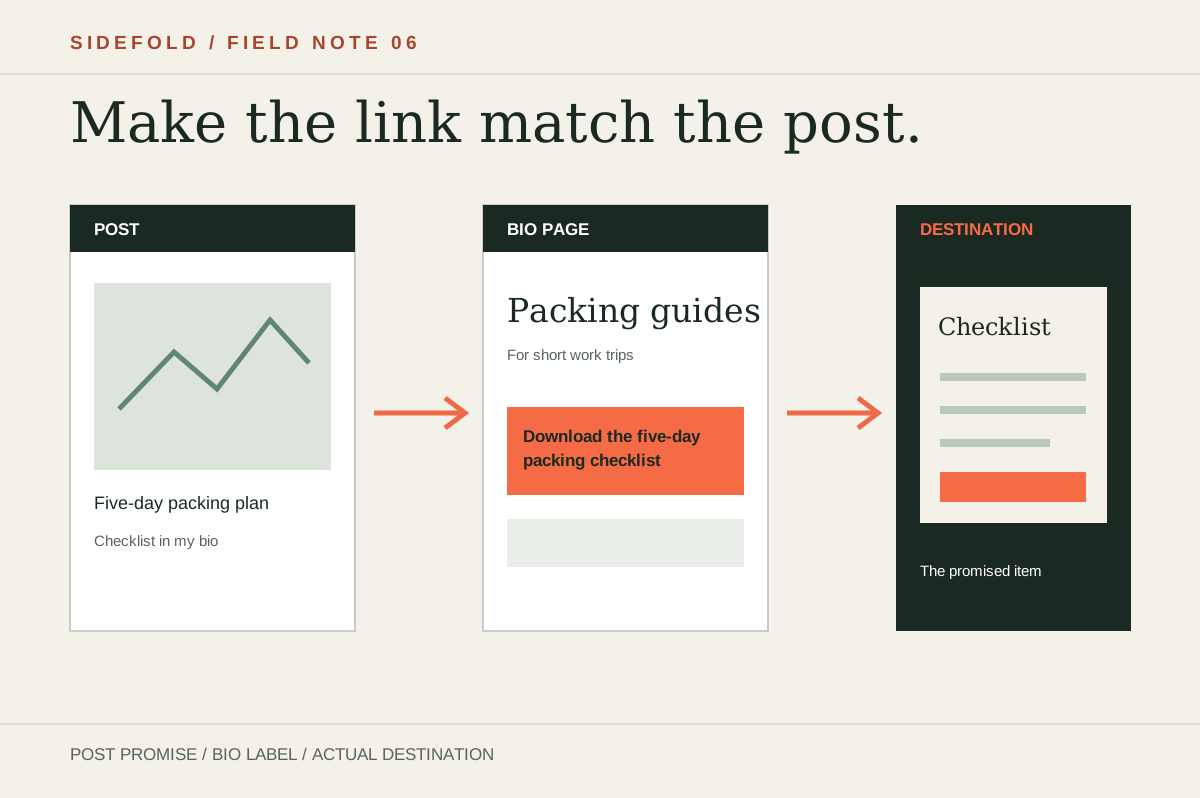
Someone who taps your bio link usually has a question from the post they just saw. Your first link should answer that question.
A page arranged by what you want to promote can miss what the visitor came to find. Use the steps below to choose a lead link, write an honest label, and check whether people reach the destination.
01
Start with the post that sent them
Write down the last three posts where you asked people to visit your bio. For each, note the promised item and the exact page that delivers it. If a post says “the checklist is in my bio,” the checklist must be easy to spot when the page opens.
| Post promise | Expected link | Check |
|---|---|---|
| “Read the first chapter” | Read the first chapter | Does it open the chapter, without a second search? |
| “Shop this outfit” | Shop the outfit from today’s post | Is that outfit visible on the destination? |
| “Book a consultation” | Book a consultation | Can the visitor actually choose a time? |
These are examples, not a prescribed funnel. If you promise a guide, sending people to a general shop is a mismatch even when the shop looks polished.
02
Choose one route for the current campaign
Put the link that fulfils your current promise where a phone visitor can find it without hunting. Other useful links can follow. If two campaigns are active, use labels that distinguish them instead of making every button look equally urgent.
Sidefold’s page builder lets you mark one visible link as primary and add descriptions. The primary style is a visual cue; the link still has to match what the visitor expects.
03
Say what opens after the tap
“Shop,” “Read more,” and “Click here” hide the destination. The W3C guidance on link text recommends wording that describes a link’s purpose. That is useful for all visitors and especially for people navigating by links.
“Guide” → “Read the carry-on packing guide”
“Products” → “Shop the outfit from today’s post”
“Contact” → “View consultation details”
Use the free button copy writer to draft a label from the real destination. Its output is a draft; check the wording against the page it opens.
04
Example: a guide launch
Here is a route you can inspect on this site. Sidefold has a public Remote Work Field Guide sample edition with a reading view and download formats. If a social post promises that sample, a bio-page label such as “Read the Remote Work Field Guide sample” should lead straight to that page. “Our books” would make the visitor search again.
This is a proposed route to a real destination, not a measured conversion result. Open the page on a phone before using the label; if its sample or address changes, update both the invitation and the bio link.
05
Check the tap and the destination
Compare clicks on the promoted link with visits, downloads, bookings, or signups at the destination if those are available. A click shows interest; it does not show that the visitor completed the next step. If you use Google Analytics, outbound click measurement can record links that leave your domain when enabled.
Review comparable periods and note what else changed, such as a new post or campaign. Use the free link-in-bio review for broken destinations and unclear labels. To test the first phone screen with another person, see the first-screen exercise.
06
Common questions
How many links should a bio page have?
There is no useful universal limit. Keep the links that serve a current visitor need, make the next step easy to find on a phone, and move older material lower or into an archive.
Should every visitor see a sales link first?
No. Lead with the destination promised by the post or profile that sent them. A reader looking for a free sample may not be ready to buy.
Does one primary link increase conversions?
It may make the next step clearer, but this article does not establish a conversion lift. Compare clicks and downstream actions on your own page before drawing that conclusion.
Make the promised link easy to find.
Reorder the page around the post you are promoting, then check the live destination.